



Description:
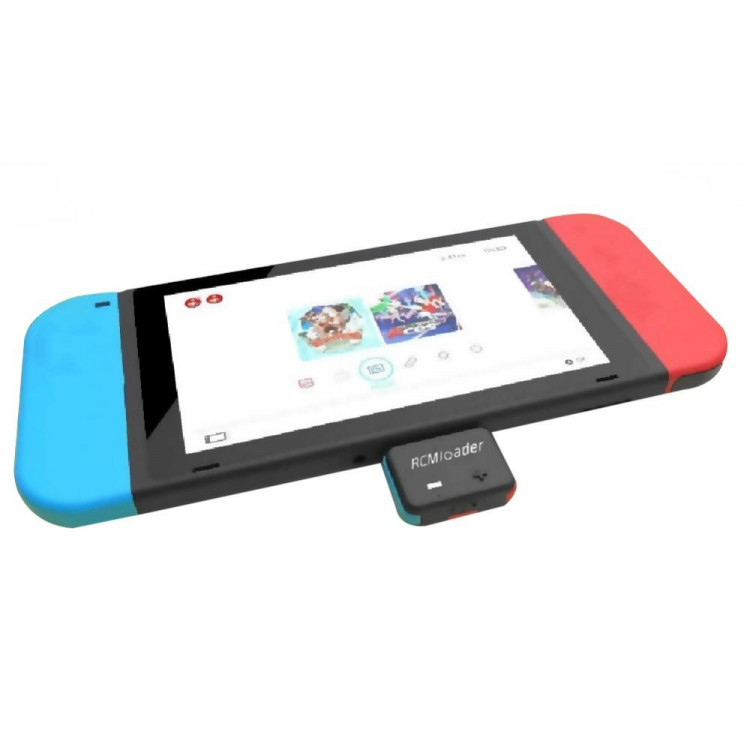
Item type: RCM Loader
How to use on Swithch:
1. Switch console is turned on, the RCMloader is inserted, the LED white lights up after 10 seconds of charging, and then Switch is completely turned off.
2. Install the shorting bar, press the volume +, then press the power button, SWITCH enters the RCM state, and the RCMloader automatically injects the payload.
Switch the payload method:
1. SWITCH boot, insert RCMloader, LED White lights up after 10 seconds, long press the button, LED flashes 4 times, switch payload, LED flashing color indicates selected payload.
2. The corresponding color of the factory payload program is: ATMOSPHERE (blue), REINX (green), SXOS (red).
Add/replace the method:
Use the MicrUSB cable to connect to the computer, automatically recognize it as a USB flash drive, copy and paste to update PAYLOAD.
Detailed explanation for advanced users:
1. Maximum support for 6 , sorted by folder name from small to large.
2. The LED cycle sequence is: Blue / Green / Red / Yellow / Purple / Cyan LED color is displayed cyclically according to the number of files actually copied.
3. White light - indicates full charge.
Package Include:
1 x RCM Loader ( Type C interface )
1 x Micro USB Cable
1 x Shorter Connector
Note:
The colors deviation might differ due to different monitor settings.


Giá sản phẩm trên Tiki đã bao gồm thuế theo luật hiện hành. Bên cạnh đó, tuỳ vào loại sản phẩm, hình thức và địa chỉ giao hàng mà có thể phát sinh thêm chi phí khác như phí vận chuyển, phụ phí hàng cồng kềnh, thuế nhập khẩu (đối với đơn hàng giao từ nước ngoài có giá trị trên 1 triệu đồng).....